Any USB keyboard
Mechanical, Topre, laptop-style, through a hub: if it works in a BIOS, it works here. Six keys at once, as boot keyboards send them.
A desk object · hackable · 98 × 81 × 8.7 mm
A slab of 6061 aluminium around a 4.4-inch Sharp memory LCD. It sits between any USB keyboard and the computer, changes your layout in hardware, and shows you how you type. Inside is a Raspberry Pi RP2350, and the firmware's yours to rewrite.
01 · Where it sits
Plug your keyboard into one end and your computer into the other. Either end, either way up: the slab works out which is which. Nothing to install, no app, no driver. To the computer it's just a keyboard, typing in plain US.
02 · Try it
Hold shift and shift, both of them, and press a number. The number never reaches the computer. The screen tells you which profile you're on.
Below is what the computer receives from your keystrokes through the slab. The page reads where each key is on your keyboard, not what your own layout types, which is exactly what the slab sees. On a phone, let it type for you.
03 · Chords
Layouts were only the start. Hold both Shifts and press a letter: the one printed on the key, whatever layout you type in. Like the numbers, the letter never reaches the computer. Some of what they do is useful. Some of it isn't.
Tap one to see it, or press it on your keyboard: the keys work anywhere on this page. None of them keeps what you type. The wombat eats the count, not the keys.
04 · Inside
05 · Three screens
The slab counts keys by hand, never which keys. The counts live in memory and are forgotten when it's unplugged. A keyboard never tells it the time, so the day runs back from now.
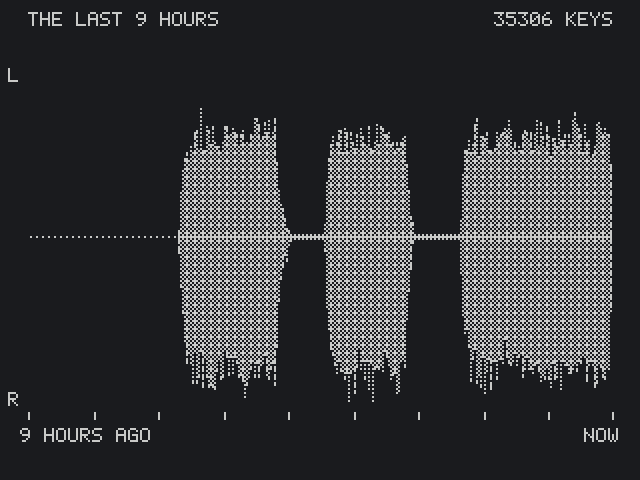
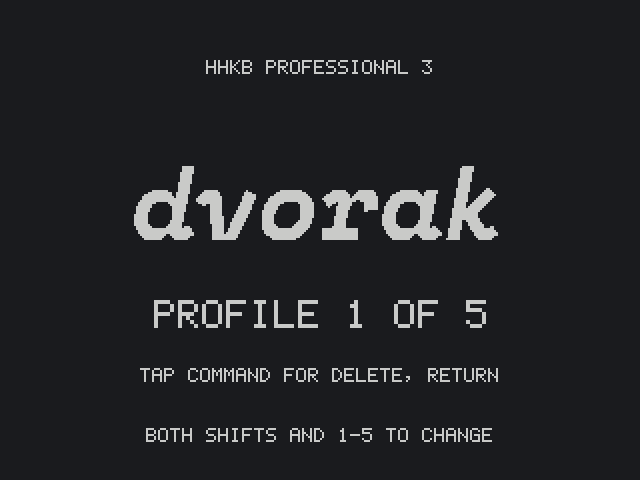
The pictures are the firmware's own drawing code, run on a Mac. The live one is the same code, ported line for line. The chords' tricks have screens of their own, above.
06 · What it does
Mechanical, Topre, laptop-style, through a hub: if it works in a BIOS, it works here. Six keys at once, as boot keyboards send them.
Two USB-C ports and no "in" or "out". A TUSB320 on each spots the computer; a pair of switches swaps the lines to suit. The cable can go in either way up too.
Dvorak, Colemak, Colemak-DH, Workman, QWERTY. Your layout follows the keyboard from computer to computer, with nothing to set up on any of them.
Each profile is a whole remap: caps lock to control, the lot. Up to nine profiles, written in a small JSON file and built into the firmware.
Up to four keys a profile that do one thing tapped and another held. Tap Command for delete; hold it and it's Command, instantly.
Both Shifts and a number change profile; both Shifts and a letter do a trick. Neither reaches the computer, and no key is ever left stuck down.
A key is read, remapped and sent on in the next USB frame. You won't feel it; neither will a game.
The screens know which hand and when, never which letter. Nothing is kept once it's unplugged.
The profile you chose is still there next time. The firmware runs from RAM, so saving it never interrupts the keyboard.
A key on a sleeping computer wakes it, as the keyboard alone would.
From whichever end it's on, through ideal diodes. The keyboard gets up to 500 mA, current-limited, and only once something's plugged in.
The panel reflects the room's light like paper. No glow at night, no washing out in the sun, and no burn-in.
07 · The back
Turn it over and the name runs across the back plate in Space Mono Bold Italic, the face on the screen, 0.3 mm deep. The name itself is still undecided. Drag to turn it.
Finish
Bead-blasted and anodised by JLCCNC: solid colours only.
08 · The board
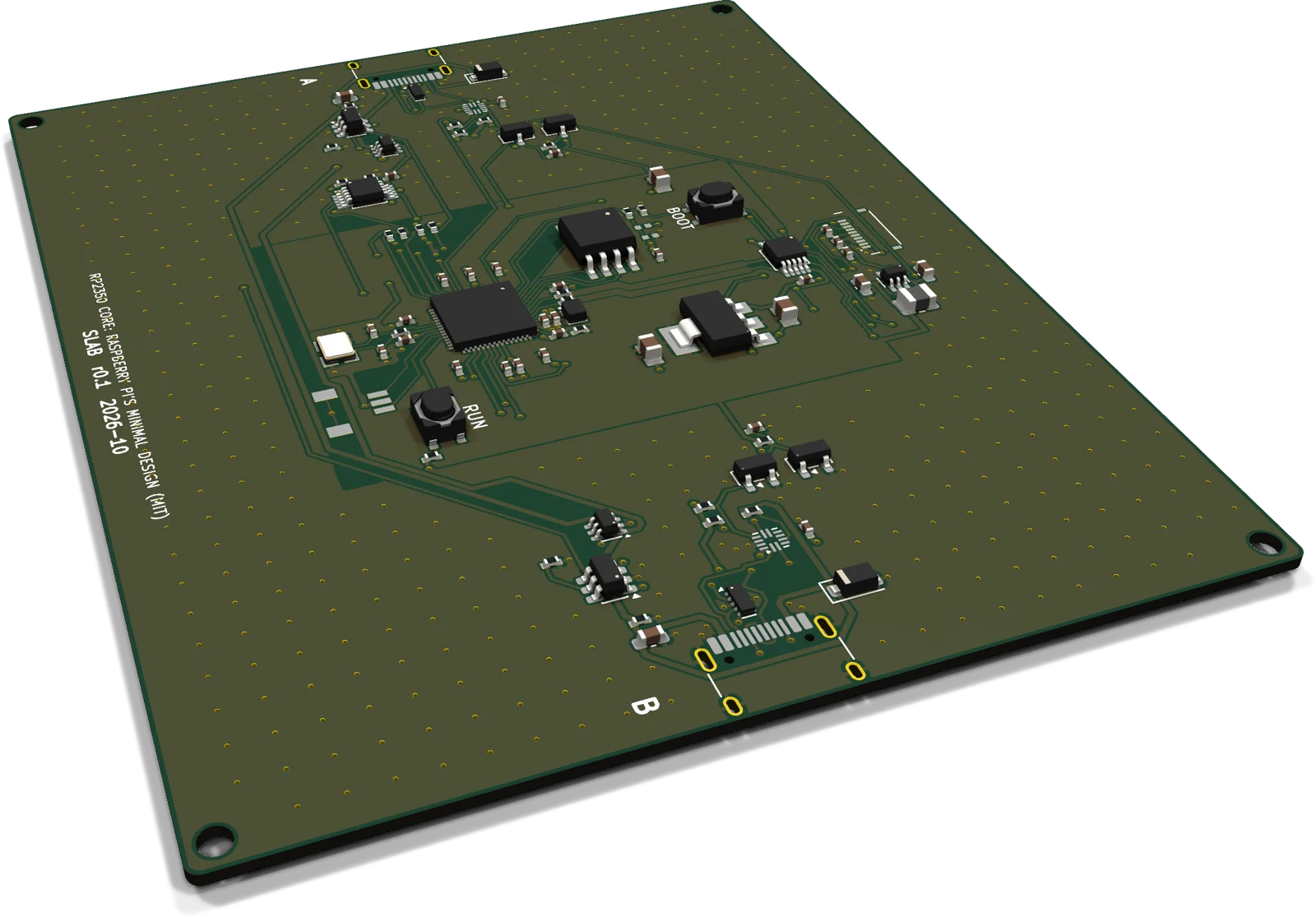
The RP2350 and everything round it (regulator, crystal, flash) is Raspberry Pi's own minimal design, lifted with its layout intact. Round it: two ports that can each be either end.
09 · Make it yours
The brain is an RP2350, the chip on Raspberry Pi's Pico 2, with Raspberry Pi's own circuit round it. To software it's a Pico 2 with a screen and two USB ports. The firmware is yours to change, or to throw out and start again.
The drive is the RP2350's own boot ROM, so nothing you write can brick it. If your firmware won't start, take the back off (four M2 screws) and hold BOOT while you plug it in.
The slab's own firmware is plain C on Raspberry Pi's Pico SDK, with TinyUSB both ways: the computer's side on the chip's own USB, the keyboard's on Pico-PIO-USB. Its source comes with it, the remapping, the screens and the tricks above, with tests that run on a laptop.
Anything built for a Pico 2 should run on it unchanged: C or C++, Arduino (Earle Philhower's core), MicroPython, or CircuitPython, which already has a Sharp memory display driver and a USB host on the PIO.
Under the back there are pads for a 3-pin JST-SH, the plug on Raspberry Pi's Debug Probe: SWD, for breakpoints and flashing down the wire. It isn't fitted; solder one on. The BOOT and RUN buttons are beside it.
{
  "name": "mine",
  "layout": "dvorak",
  "map": { "caps_lock": "left_control" },
  "tap_hold": [
    { "key": "left_command", "tap": "backspace" }
  ]
}void screen_hello(fb_t *fb, const stats_t *s) {
char n[24];
fb_dark(fb);
fb_text(fb, 20, 90, "G'DAY", 4);
snprintf(n, sizeof n, "%u KEYS", (unsigned)s->total);
fb_text(fb, 20, 140, n, 2);
}10 · Specifications
| Size | 98.0 × 81.3 × 8.7 mm |
|---|---|
| Weight | About 88 g (frame 16 g, back 24 g, panel, board) |
| Case | 6061 aluminium, CNC machined, bead-blasted, anodised; four M2 countersunk screws |
| Screen | Sharp LS044Q7DH01, 4.4", 320 × 240, 1-bit memory LCD, reflective, no backlight |
| Window | 89.1 × 66.7 mm; bezel 4.45 mm at the front and sides, 10.1 mm at the back |
| Ports | Two USB-C (USB 2.0 full speed), either one the computer, either one the keyboard |
| Keyboards | USB boot protocol, six-key rollover, through hubs; media keys where they're simple |
| Keyboard power | Up to 500 mA, current-limited |
| Profiles | Up to 9; any key to any key; up to 4 tap-or-hold keys each; both Shifts + 1–9 to change |
| Chords | Both Shifts + P pomodoro, N numbers, J look busy, S sarcasm, G snake, W wombat, H help; both Shifts alone, caps word; both Shifts + Esc held, new firmware |
| Added delay | About 1 ms |
| Brain | Raspberry Pi RP2350A (the Pico 2's chip) at 120 MHz, 16 MB flash, running from RAM |
| Firmware | Yours: C on the Pico SDK, source included; new firmware by drag and drop; pads for SWD (Raspberry Pi Debug Probe) |
| Board | 2 layers, 1.0 mm, 94.6 × 77.9 mm, 85 parts, all on the top |
| Status | Prototype: the board, case and firmware are drawn and checked, not yet made |